 Technology X Tomorrow's Technology Today!

BUILD AND FEEL
The K65 comes with a braided split end USB cable, by this we mean it has two USB plugs.
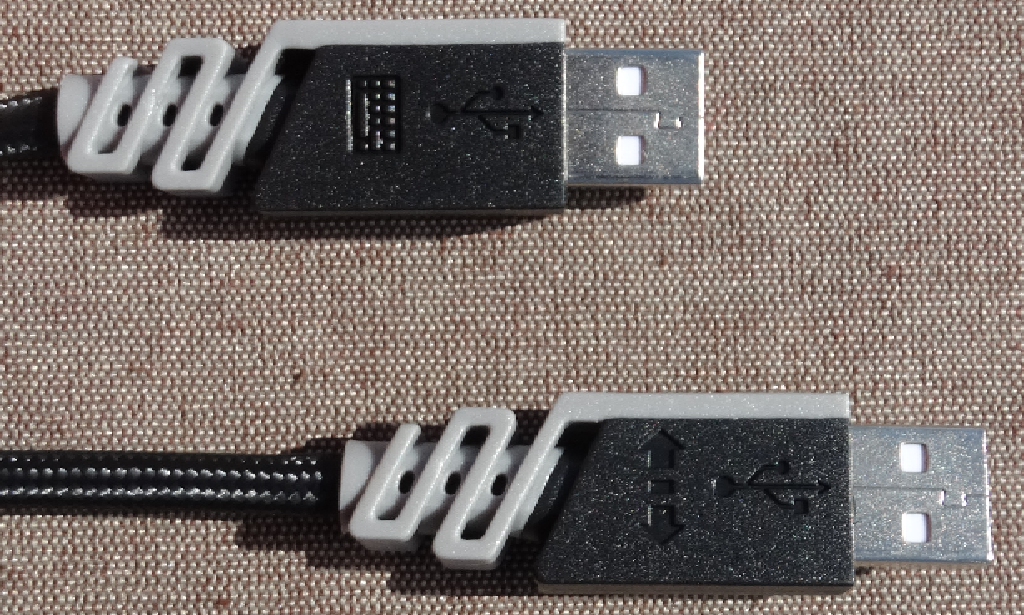
One powers the keyboard itself and the second works for the on-board USB pass-through on the back side of the board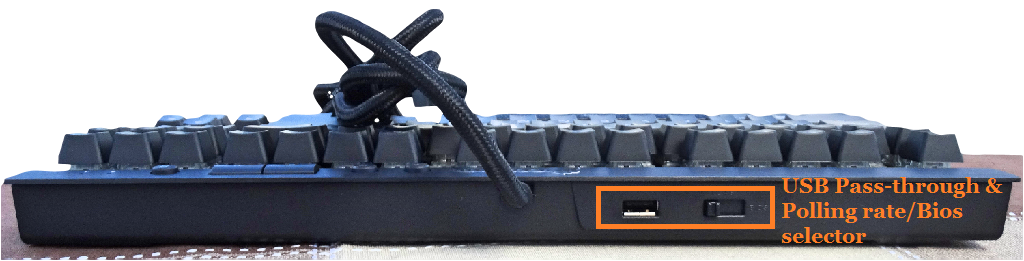
Measuring in at 356mm X 166mm (210mm w/wrist rest) x 37mm the keyboard is small but doesn’t feel crowed. The removal of the number pad is to thank for the compact feel of the K65. Right out the gate if you’re not used to keyboards lacking the number pad this will take some getting used to. Especially when you’re reaching out to enter digits or looking for the easy-out of using the large “+” key.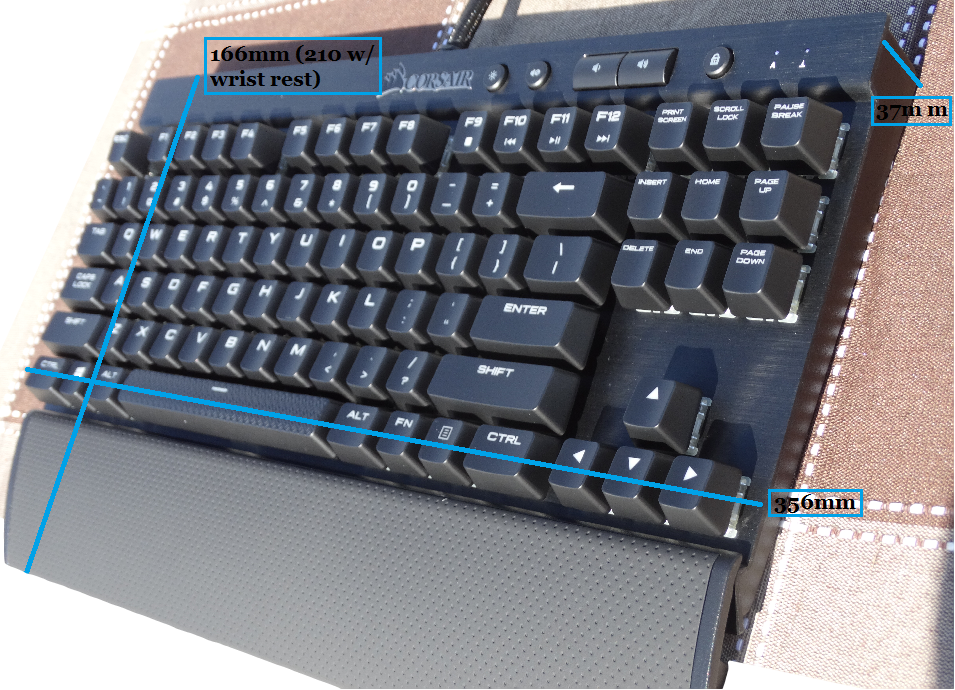 The wrist rest easily clips in when you flip the board around to the backside. When you want to remove the wrist rest you have to pinch the sides of the legs in to release.
 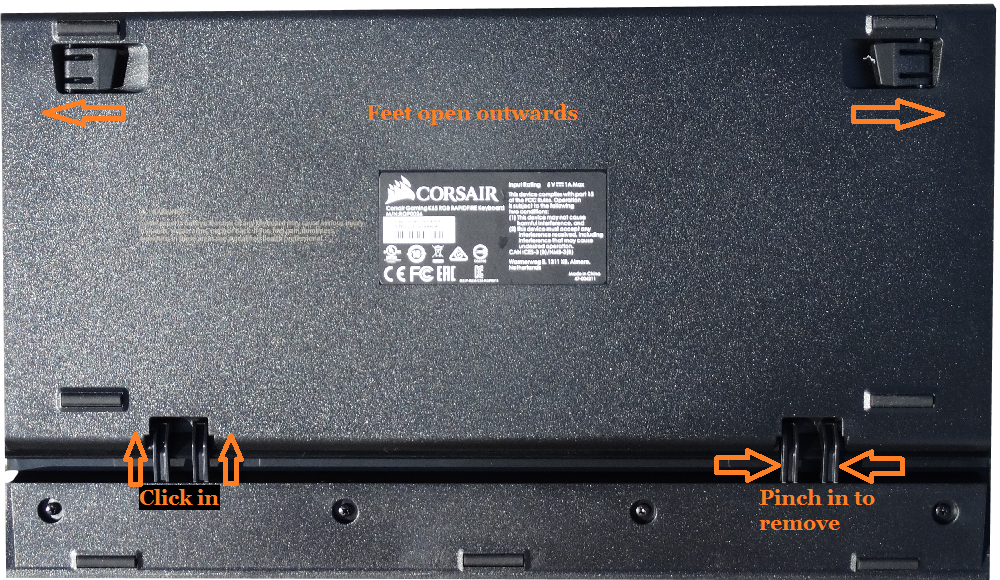 The wrist rest is comfortable and has a soft and smooth feel to it. The switches in the K65 are all rockin’ ultrafast cherry switches with 1.2mm actuation which allows quicker and more accurate clicks but as we have noticed take some getting used to. The slightest heavy finger will set off a key, they are very sensitive.
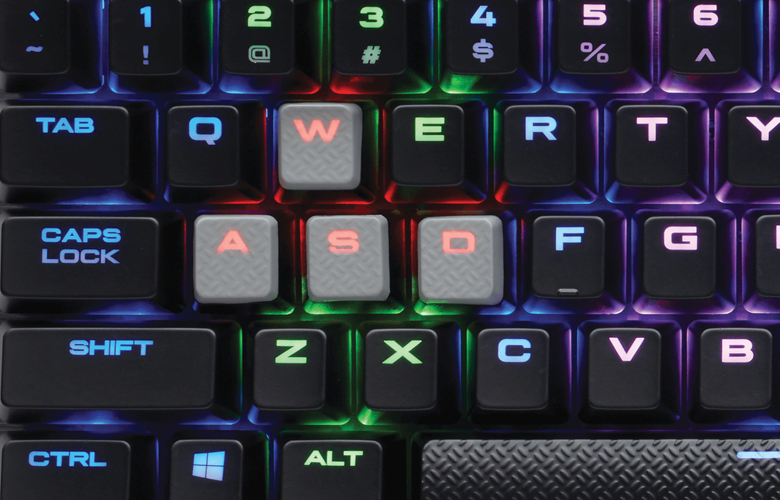
 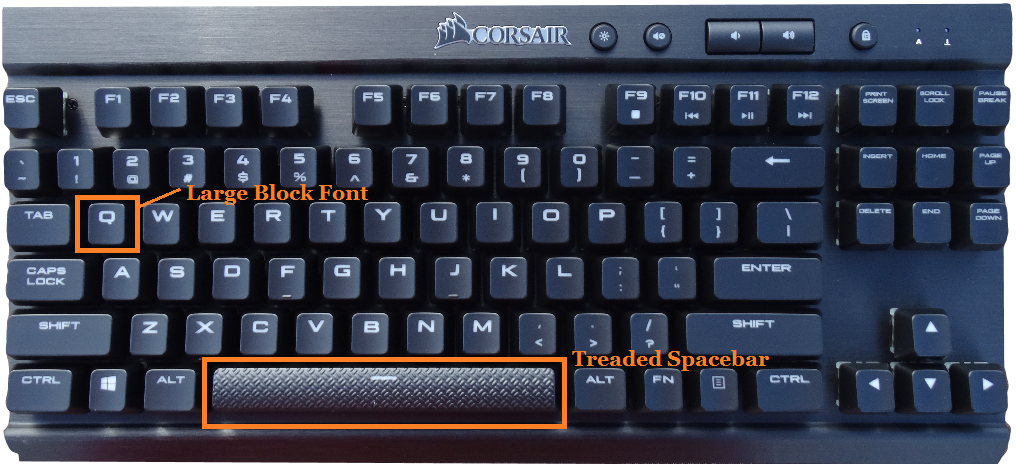 Each key on the K65 Rapid Fire is individually macro and lighting programmable but we will get more into that later. Unique to the Rapid Fire edition compared to the original K65 is the larger block font as well as the tread-like feel to the space bar. Mentioned earlier there are inter-changeable keys for your game preference, MOBA or FPS. These keys are game-specific as they have grey tops, are treaded like the space bar and also have a restriction of movement. What we mean by that is say you’re using the MOBA keys, the “Q” and “R” are angled towards the center so you can stay centered without having to look at your keyboard.