 Technology X Tomorrow's Technology Today!

CPU BENCHMARKS
For our CPU benchmarks we run our CPU at the stock clock as well as overclocked to the highest stable speed we could achieve with the motherboard, which is 4.5GHz.
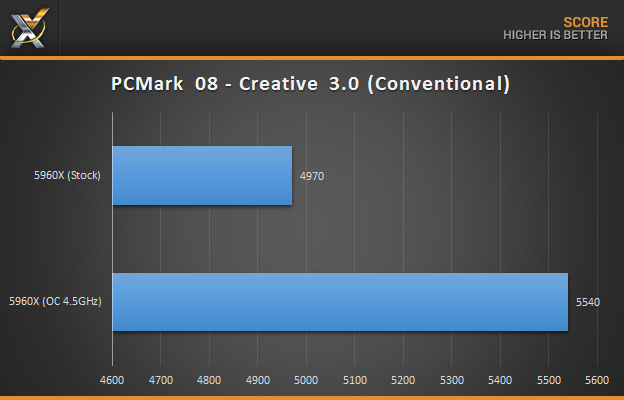
PCMARK08 – CREATIVE 3.0
Futuremark’s PCMark 8 is the latest in their series of industry standard PC benchmarking tools. We test CPU performance using the ‘Creative 3.0‘ benchmark on ‘Conventional’ mode.
CINEBENCH R15
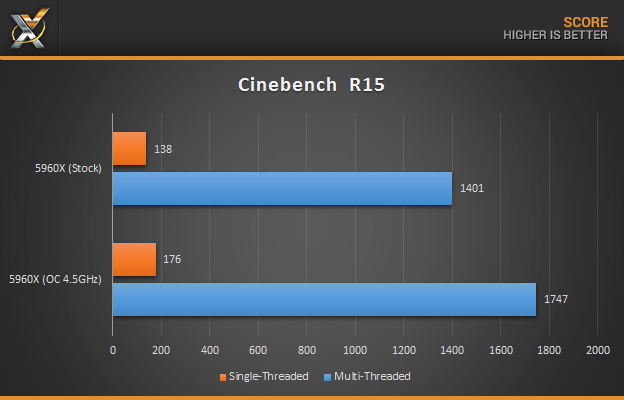
Maxon’s Cinebench is a benchmarking tool based on their Cinema 4D software. It measures CPU performance by rendering a photo realistic 3D scene.
WINRAR
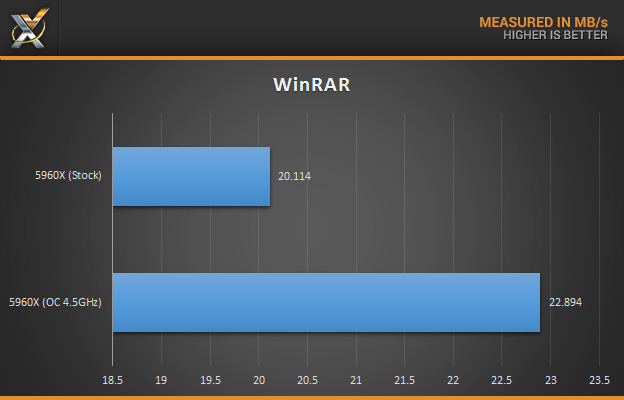
WinRAR is easily the most well-known file archiving program. In our test we use the application’s built-in benchmark utility in order to determine memory performance.
7-ZIP
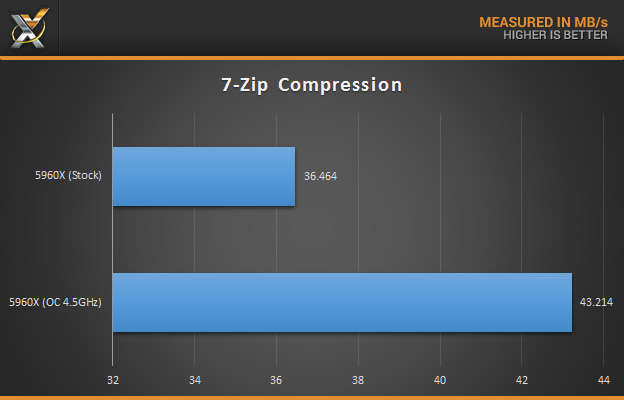
7-Zip is an open-source, completely free file archiving application which utilizes LZMA2 compression. We use their built-in bench-marking utility to measure our systems performance when compressing files.
HANDBRAKE
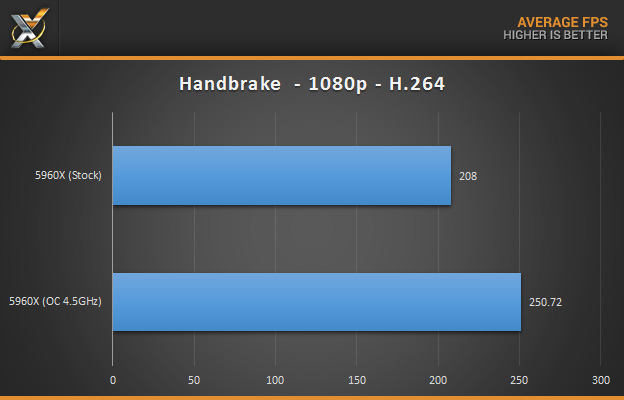
Handbrake is a popular, free video conversion utility which uses H.264 video encoding. We test our system performance by converting a 1080p video which is 530MB to H.264 in an MP4 container.
PHOTOSHOP CC
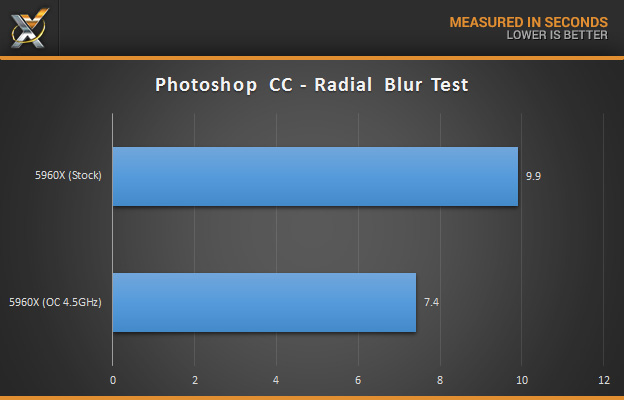
In our Photoshop CC test, we employ the Radial Blur Test for measuring CPU and Memory performance. It works by applying a complex Radial Blur filter to a high-resolution image (4500 x 3000), and measuring the time it takes to finish the task.