 Technology X Tomorrow's Technology Today!
ZOTAC GEFORCE GTX 680 AMP! EDITION – SLI CONFIGURATION
Ok, so we just took an in-depth look at a single ZOTAC GeForce GTX 680 AMP! Edition graphics card, now let’s push the limits of these benchmark tests by adding a second card. As we talked about earlier, make sure you have enabled your “Maximize 3D Performance” setting in your NVIDIA Control Panel to enable your SLI configuration.
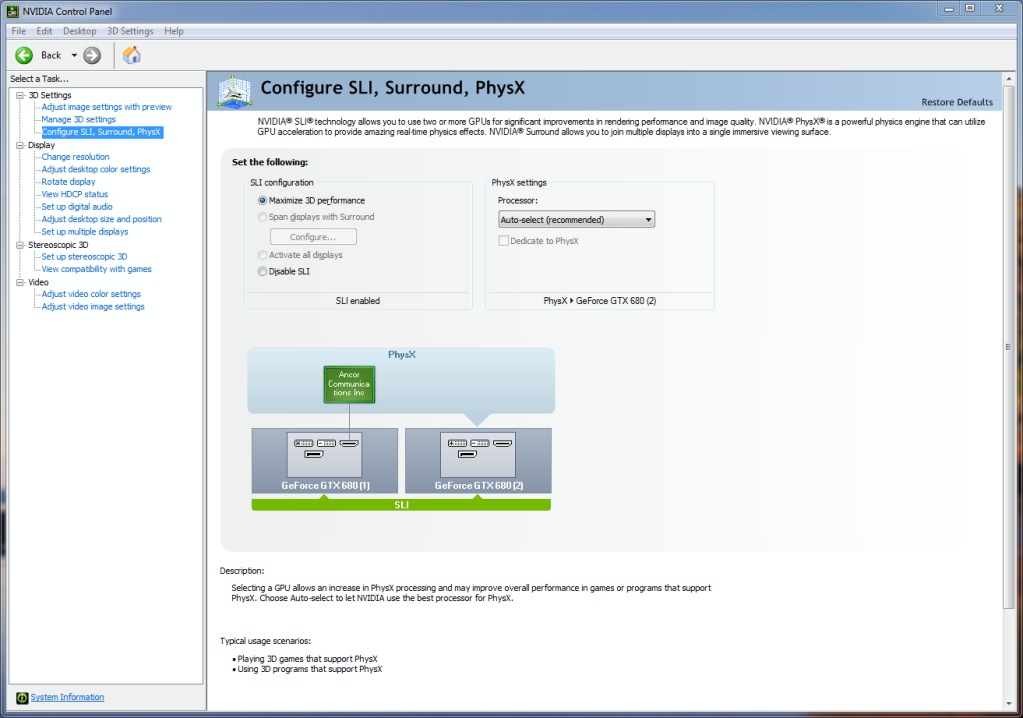
Here we can also see that the two cards will also be responsible for the PhysX processing throughout our tests.
PIRIFORM SPECCY
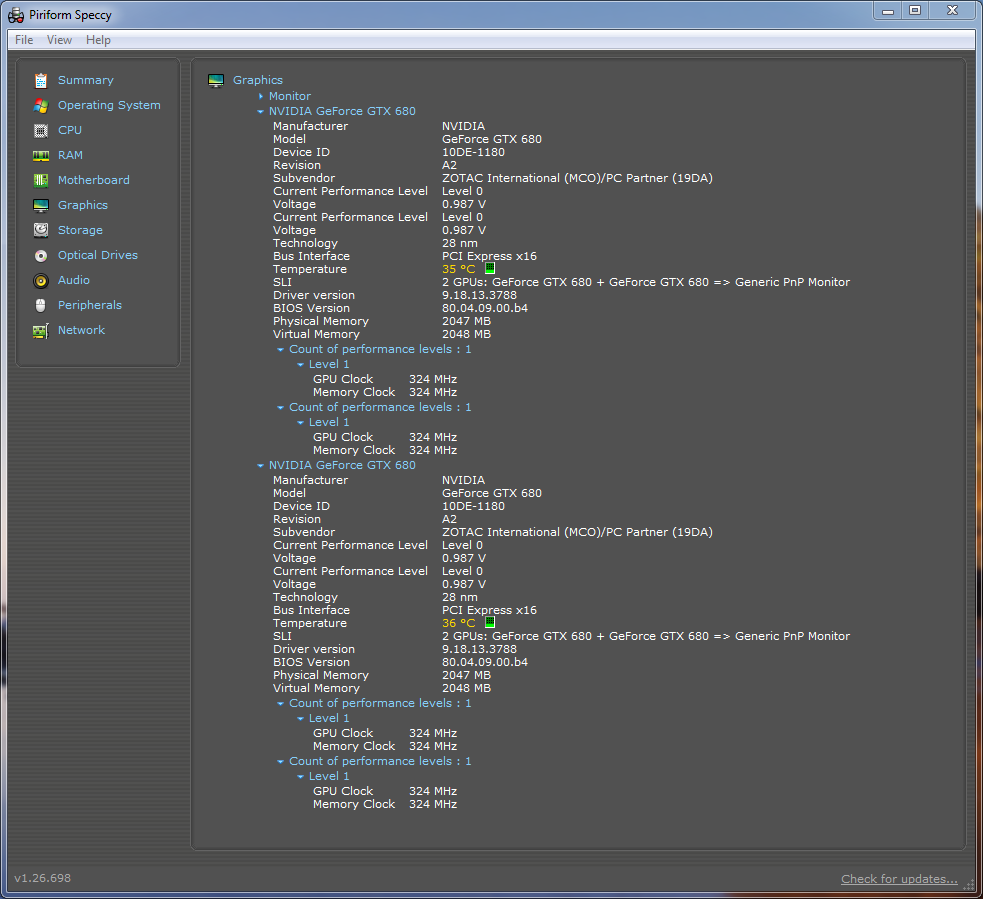
Taking a look back at Speccy once we installed the second ZOTAC graphics card, we can see that now we are running two identical cards in a SLI configuration.
GPU-Z
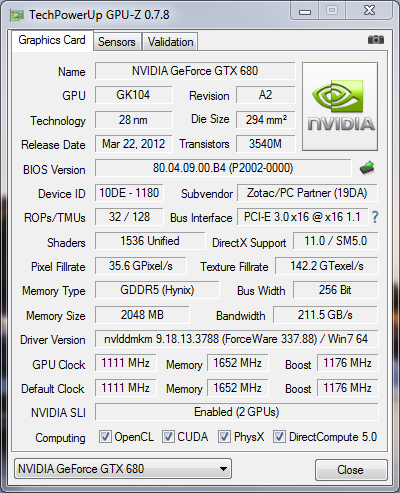
Similar to the GPU-Z result we saw with a single ZOTAC graphics card, we can see the exact same results and specifications with the exception of the identified SLI configuration.
FUTUREMARK 3DMARK
CLOUD GATE
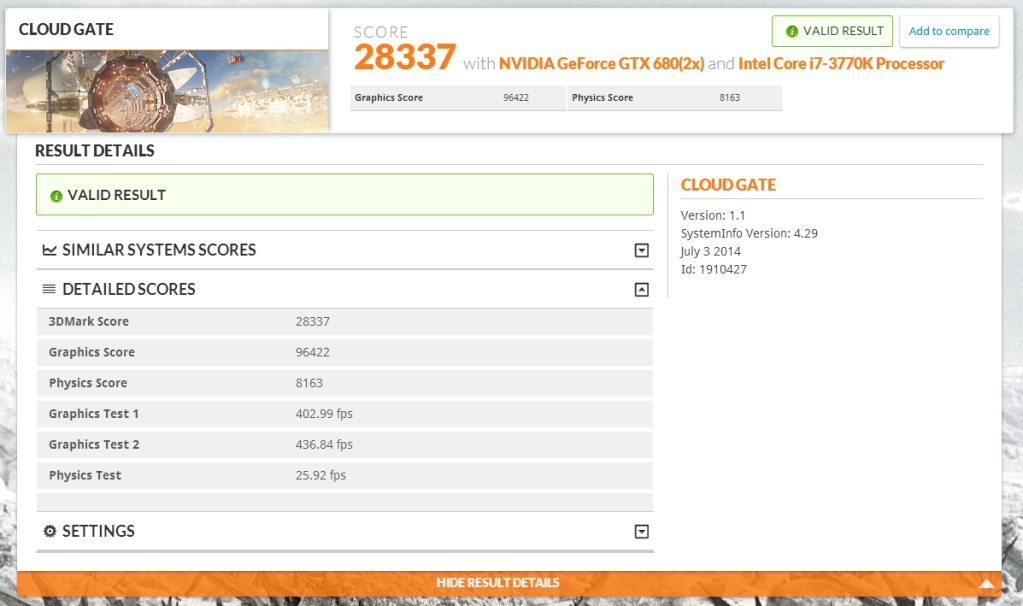
Our first benchmark test with Cloud Gate yields a total score of 28337, and an average fps of 419. It’s amazing how much of performance increase we can see by adding that second card.
SKY DIVER
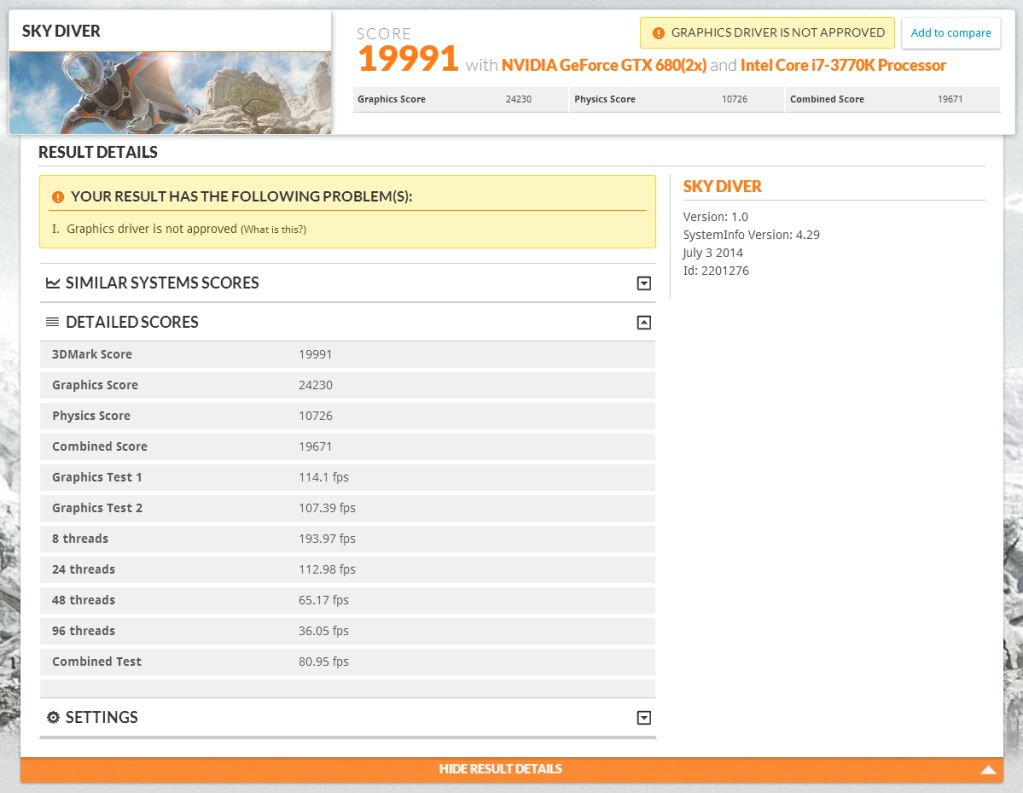
In our next benchmark test, the SLI configured ZOTAC graphics cards produce a total score of 19991. The average fps across our two graphical tests was 110. Again, we can see here that Sky Diver is not a fan of this driver for some unknown reason.
FIRE STRIKE
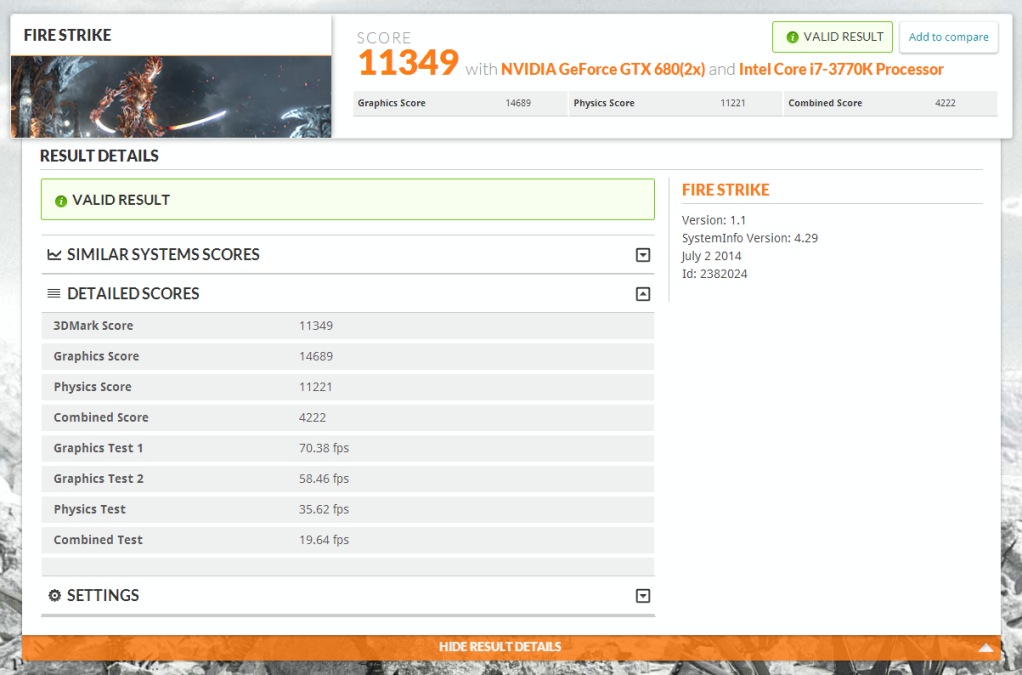
This was the most phenomenal test to sit back and watch. The SLI configured ZOTAC graphics card performed with amazing fluidity, and yielded a total score 11349. The average fps for these graphical tests was around 64 fps. What is even more interesting is the jump we see in the physics test, achieving 35 fps.
How much for your daughters?